
Map the customer’s next step
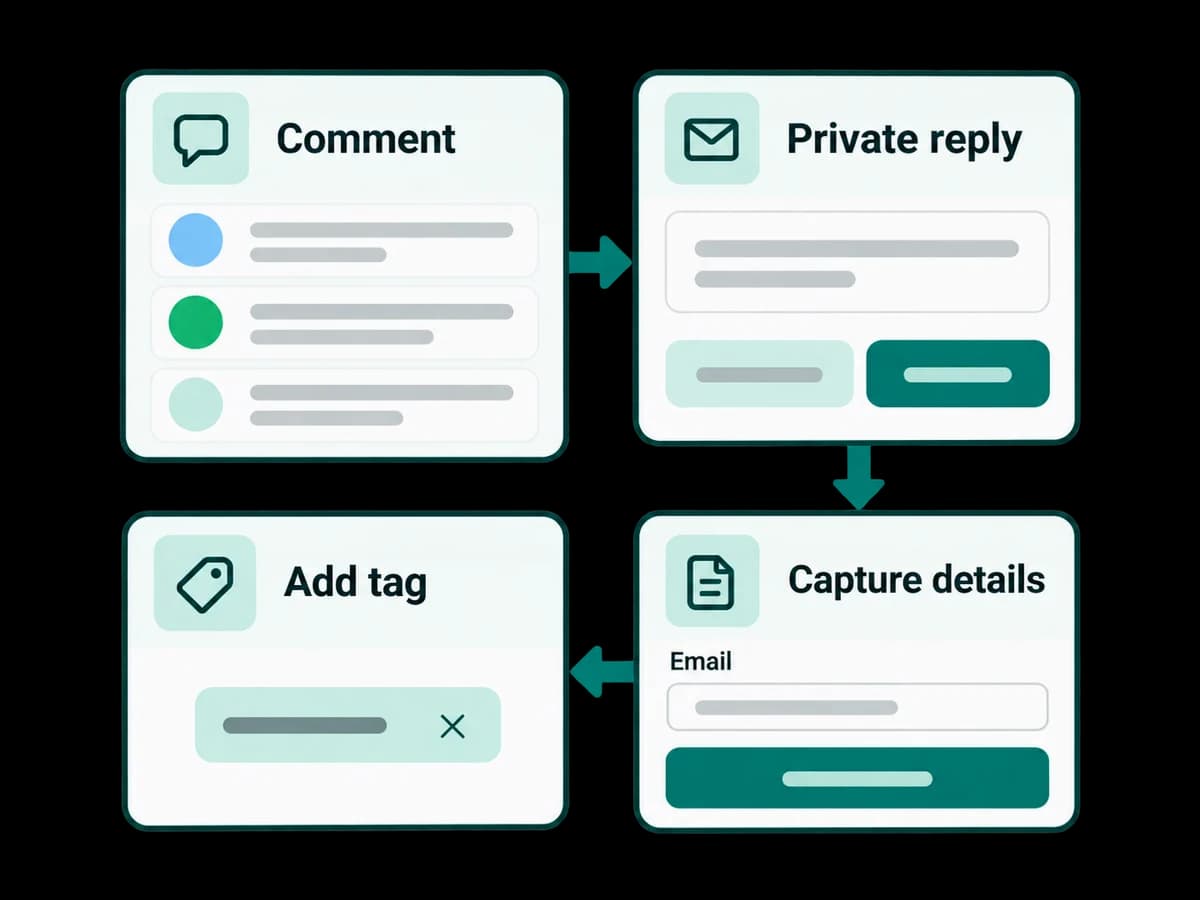
Start with a message or keyword, add a reviewed reply, ask for a necessary field, and choose when a person takes over. Edit on the canvas or in the outline.
Product · Automations
Design a reply, collect the details you need, and test the paths before publishing. Give customers a clear route to a teammate.
Explore the capabilities and the decisions your team controls.
Start with a message or keyword, add a reviewed reply, ask for a necessary field, and choose when a person takes over. Edit on the canvas or in the outline.
Use a fictional question such as ‘Can a teammate help?’ in the no-send simulation. Check the reply, missing-answer path and human handoff. Publishing saves the reviewed version; later draft edits do not change it.
Check which steps ran and what the provider reported. If consent, permissions, a service window or template approval is missing, resolve that requirement before retrying.
Create your workspace, connect a supported channel, and try your first conversation with your team.